This is a preview of a Pull Request for SOPS documentation. The documentation for the latest SOPS release can be found on getsops.io.
First steps
First steps
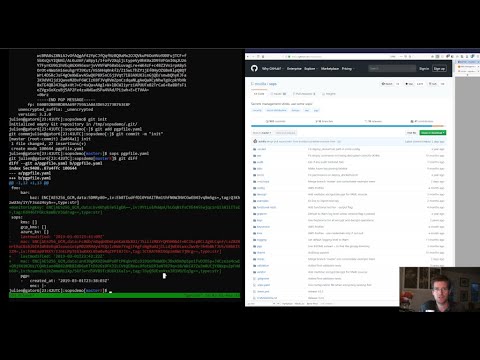
For a quick presentation of SOPS, check out this Youtube tutorial:
If you're using AWS KMS, create one or multiple master keys in the IAM console and export them, comma separated, in the SOPS_KMS_ARN env variable. It is recommended to use at least two master keys in different regions.
export SOPS_KMS_ARN="arn:aws:kms:us-east-1:656532927350:key/920aff2e-c5f1-4040-943a-047fa387b27e,arn:aws:kms:ap-southeast-1:656532927350:key/9006a8aa-0fa6-4c14-930e-a2dfb916de1d"
SOPS uses aws-sdk-go-v2 to
communicate with AWS KMS. It will automatically read the credentials
from the ~/.aws/credentials file which can be created with the
aws configure command.
An example of the ~/.aws/credentials file is shown below:
$ cat ~/.aws/credentials
[default]
aws_access_key_id = AKI.....
aws_secret_access_key = mw......
In addition to the ~/.aws/credentials file, you can also use the
AWS_ACCESS_KEY_ID and AWS_SECRET_ACCESS_KEY environment variables to
specify your credentials:
export AWS_ACCESS_KEY_ID="AKI......"
export AWS_SECRET_ACCESS_KEY="mw......"
For more information and additional environment variables, see specifying credentials.
If you want to use PGP, export the fingerprints of the public keys, comma separated, in the SOPS_PGP_FP env variable.
export SOPS_PGP_FP="85D77543B3D624B63CEA9E6DBC17301B491B3F21,E60892BB9BD89A69F759A1A0A3D652173B763E8F"
📝 Note
You can use both PGP and KMS simultaneously.
Then simply call sops edit with a file path as argument. It will
handle the encryption/decryption transparently and open the cleartext
file in an editor
$ sops edit mynewtestfile.yaml
mynewtestfile.yaml doesn't exist, creating it.
please wait while an encryption key is being generated and stored in a secure fashion
file written to mynewtestfile.yaml
Editing will happen in whatever $SOPS_EDITOR or $EDITOR is set to,
or, if it’s not set, in vim, nano, or vi.
Keep in mind that SOPS will wait for the editor to exit,
and then try to reencrypt the file. Some GUI editors (atom, sublime)
spawn a child process and then exit immediately. They usually have an
option to wait for the main editor window to be closed before exiting.
See #127 for more
information.
The resulting encrypted file looks like this:
myapp1: ENC[AES256_GCM,data:Tr7o=,iv:1=,aad:No=,tag:k=]
app2:
    db:
        user: ENC[AES256_GCM,data:CwE4O1s=,iv:2k=,aad:o=,tag:w==]
        password: ENC[AES256_GCM,data:p673w==,iv:YY=,aad:UQ=,tag:A=]
    # private key for secret operations in app2
    key: |-
        ENC[AES256_GCM,data:Ea3kL5O5U8=,iv:DM=,aad:FKA=,tag:EA==]
an_array:
    - ENC[AES256_GCM,data:v8jQ=,iv:HBE=,aad:21c=,tag:gA==]
    - ENC[AES256_GCM,data:X10=,iv:o8=,aad:CQ=,tag:Hw==]
    - ENC[AES256_GCM,data:KN=,iv:160=,aad:fI4=,tag:tNw==]
sops:
    kms:
        - created_at: 1441570389.775376
          enc: CiC....Pm1Hm
          arn: arn:aws:kms:us-east-1:656532927350:key/920aff2e-c5f1-4040-943a-047fa387b27e
        - created_at: 1441570391.925734
          enc: Ci...awNx
          arn: arn:aws:kms:ap-southeast-1:656532927350:key/9006a8aa-0fa6-4c14-930e-a2dfb916de1d
    pgp:
        - fp: 85D77543B3D624B63CEA9E6DBC17301B491B3F21
          created_at: 1441570391.930042
          enc: |
              -----BEGIN PGP MESSAGE-----
              hQIMA0t4uZHfl9qgAQ//UvGAwGePyHuf2/zayWcloGaDs0MzI+zw6CmXvMRNPUsA
              ...=oJgS
              -----END PGP MESSAGE-----
A copy of the encryption/decryption key is stored securely in each KMS and PGP block. As long as one of the KMS or PGP method is still usable, you will be able to access your data.
To decrypt a file in a cat fashion, use the -d flag:
$ sops decrypt mynewtestfile.yaml
SOPS encrypted files contain the necessary information to decrypt their content. All a user of SOPS needs is valid AWS credentials and the necessary permissions on KMS keys.
Given that, the only command a SOPS user needs is:
$ sops edit <file>
<file> will be opened, decrypted, passed to a text
editor (vim by default), encrypted if modified, and saved back to its
original location. All of these steps, apart from the actual editing,
are transparent to the user.
The order in which available decryption methods are tried can be
specified with --decryption-order option or SOPS_DECRYPTION_ORDER
environment variable as a comma separated list. The default order is
age,pgp. Offline methods are tried first and then the remaining ones.